














A Smart Display Feature That Makes Your System Value Visible**
In the application of industrial software, companies often face a common challenge:
The system has already been implemented, but during customer visits or internal presentations, it is difficult to clearly demonstrate its value.
When facing customers or management:
Data is complex and difficult to understand
Interfaces are cluttered and not suitable for presentation
Operations are complicated and not easy to demonstrate
The result is:
The system is powerful, but it doesn’t look powerful
1. What Is “Visitor Mode”?
Visitor Mode is a system operation mode specifically designed for presentation and demonstration scenarios.
Its core objective is:
To transform complex quality data into a clear, intuitive, and presentation-friendly format.
When Visitor Mode is enabled, the system will:
Automatically hide non-essential operational elements
Highlight key indicators and critical data
Optimize the interface structure to improve visual experience
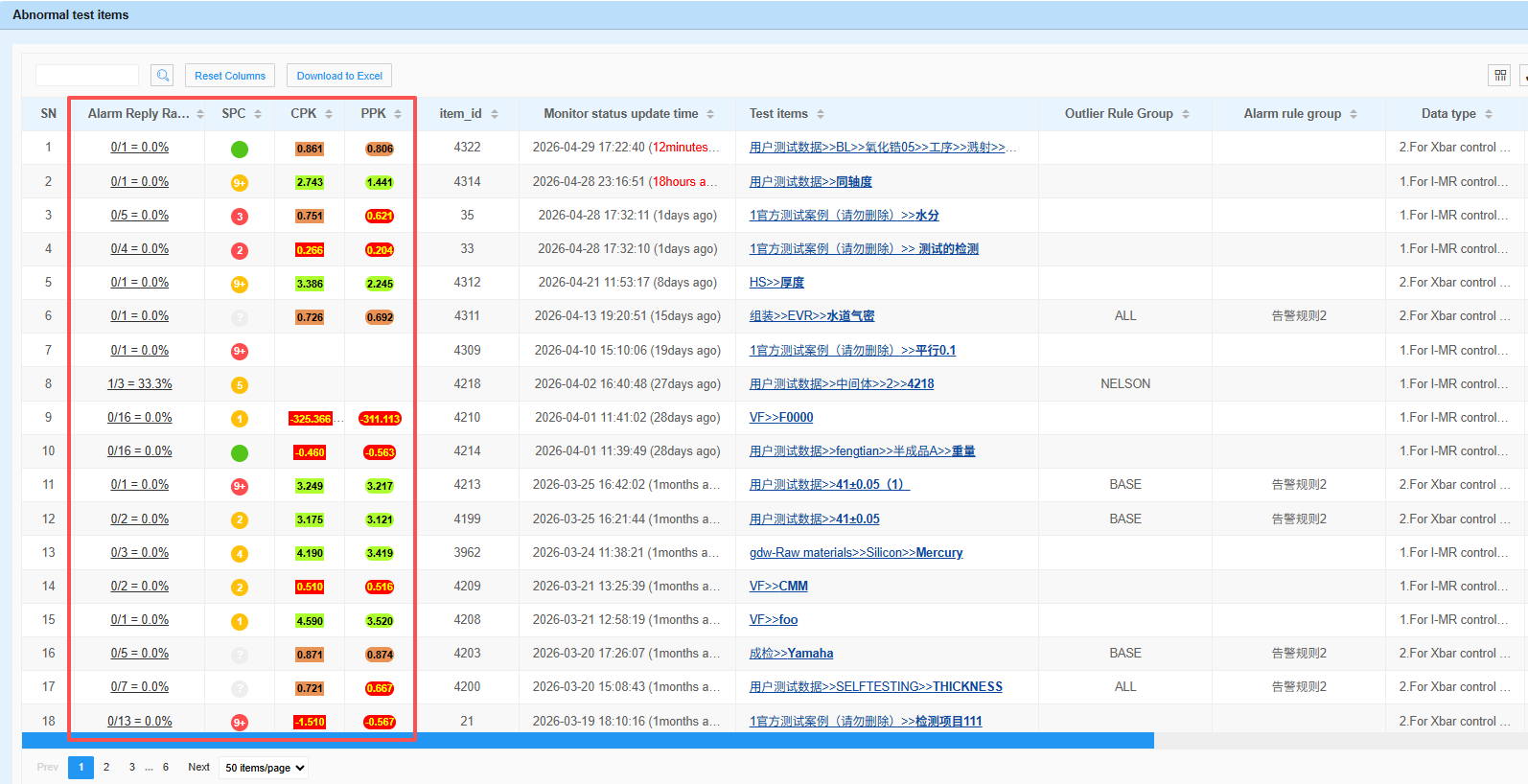
Hide abnormal points across dashboards, SPC reports, and data lists
Key Design: Optimize Display Without Changing Data
In Visitor Mode:
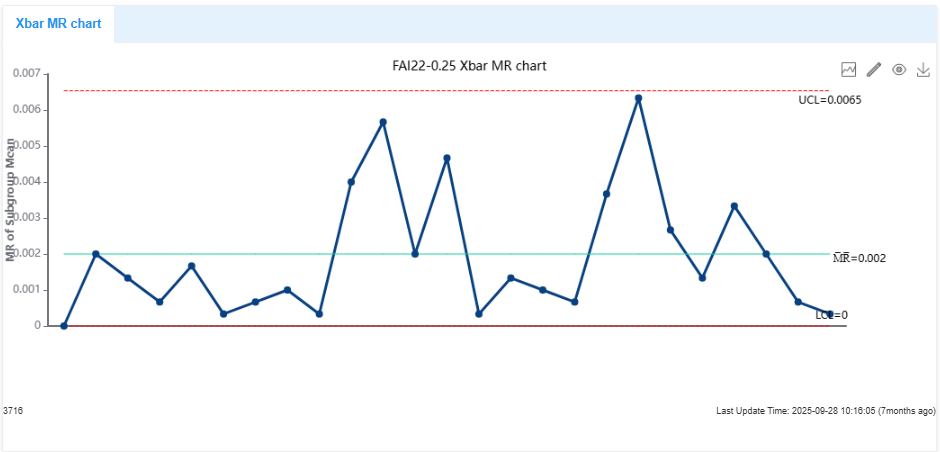
Abnormal points triggered by SPC rules (red dots) are hidden from display
When Visitor Mode is OFF → abnormal points are displayed normally

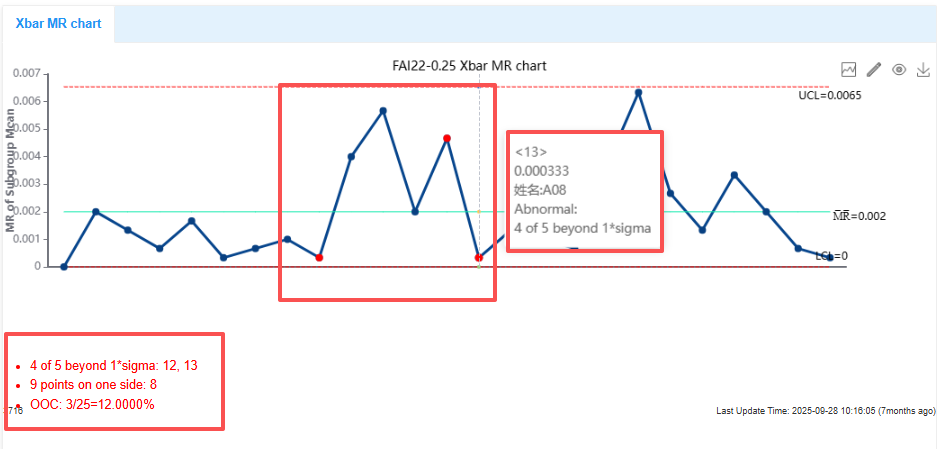
When Visitor Mode is ON → abnormal points are hidden

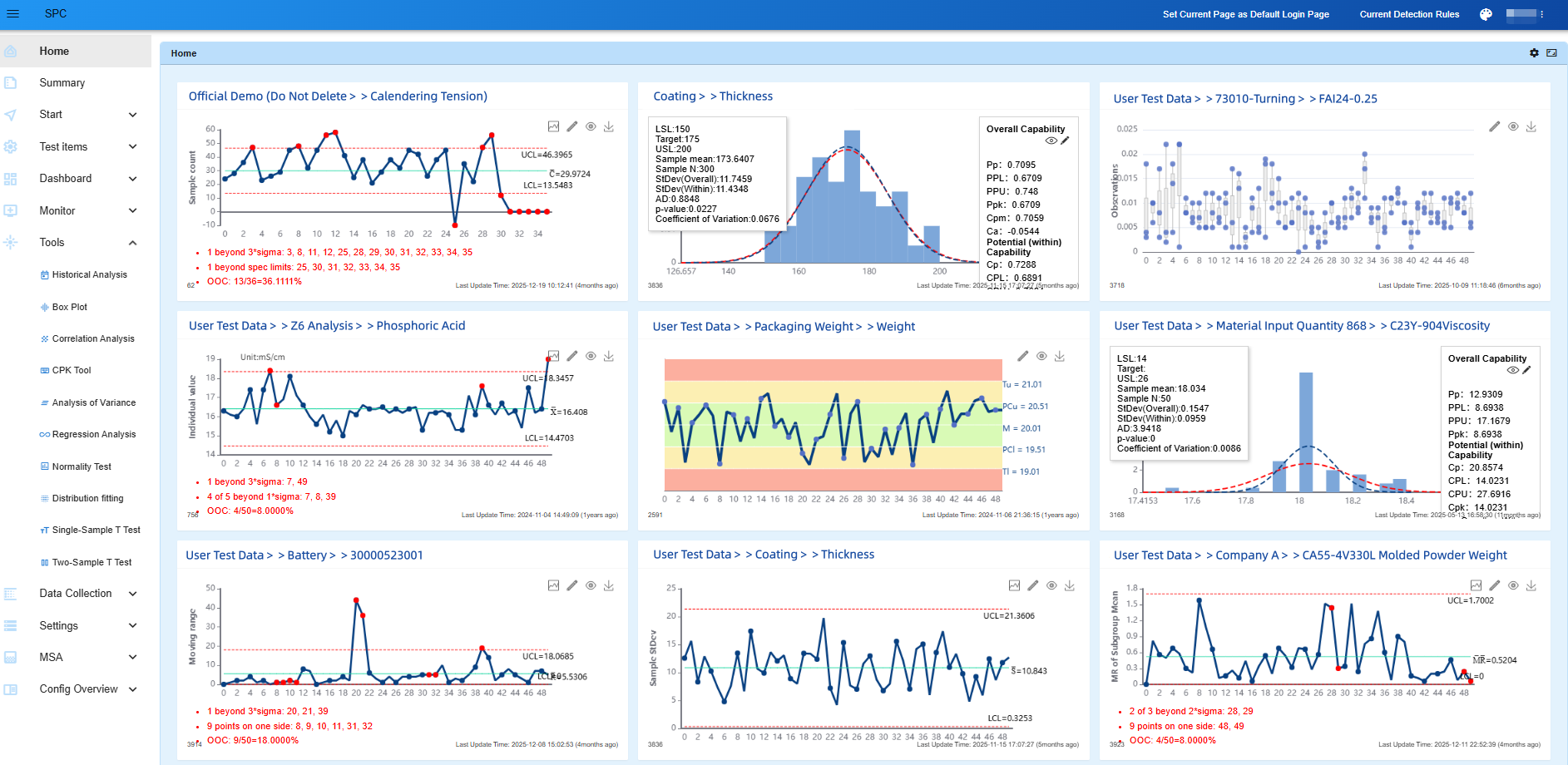
Dynamic dashboard
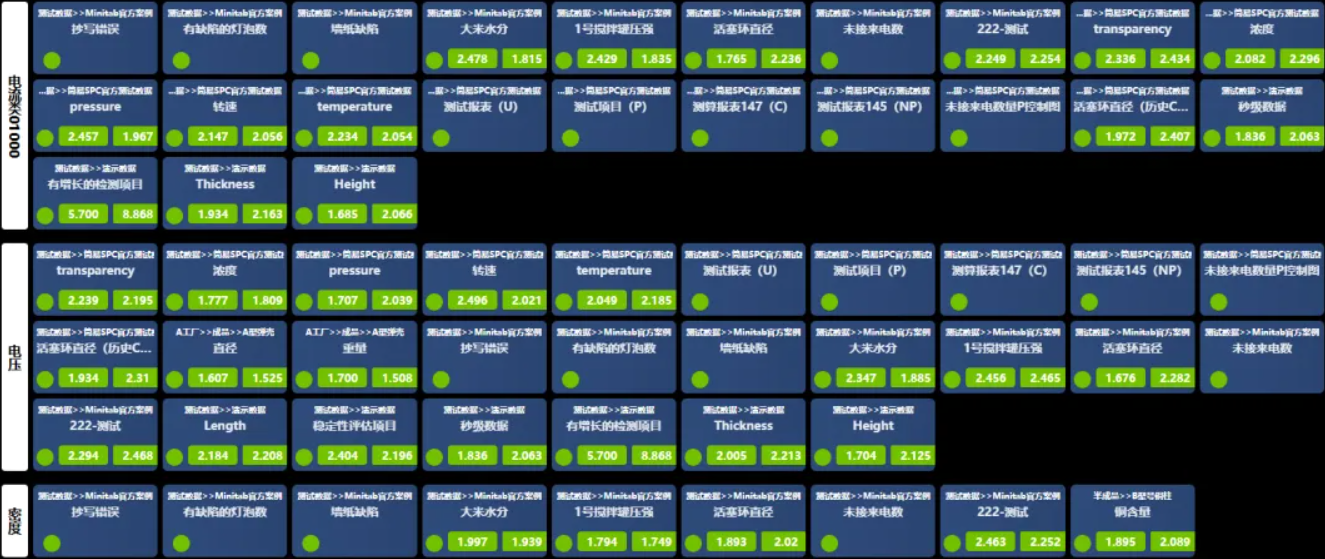
Comprehensive Monitoring Dashboard
However, it is important to emphasize:
✔ No backend data is deleted or modified
✔ All abnormal records are fully retained
✔ Only the visual presentation layer is optimized
Abnormal data still exists in the system.
The purpose is not to hide problems, but to:
Reduce visual noise and help visitors better understand the overall quality status
Real-Time Switching for Different Scenarios
Visitor Mode supports: One-click enable/disable with real-time effect.
This means:
- During daily production monitoring → all abnormal data is fully visible
- During external presentations → switch to an optimized display mode
- No system restart required
- No additional configuration needed
Enabling seamless switching between: “Monitoring Mode”and “Presentation Mode”.
2.Application Scenarios and Usage Boundaries
Visitor Mode is designed primarily for presentation and communication scenarios, including:
Applicable Scenarios
✔ Customer factory visits
✔ Industry peer visits and exchanges
✔ Internal reporting and management presentations
✔ Showrooms and digital factory demonstrations
Not Recommended Scenarios (Important)
Visitor Mode is not recommended for formal audits or certification reviews, such as:
- Third-party audits
- Quality system certifications
Reason: Even if abnormal indicators are hidden:Professional auditors can still identify abnormalities through data patterns and trends.
Therefore: Formal audits should always use the full data display mode.
This highlights the essence of Visitor Mode:
A display optimization tool — not a data processing tool
3. What Problems Does Visitor Mode Solve?
Problem 1: Interfaces are too complex for presentations
Simplifies the interface and highlights key data
Problem 2: Abnormal indicators interfere with understanding
Hides abnormal points to reduce visual noise
Refocus attention on overall process performance
Problem 3: Presentations rely heavily on manual explanation
Enhances data visualization
Reduces explanation effort
Problem 4: Difficulty balancing monitoring and presentation
Enables dual-mode operation through real-time switching
4. Core Value of Visitor Mode
1.Enhances Digital Image of the Enterprise
From “having a system” to “presenting the system effectively”
2.Improves Visitor Experience
Clearer information, easier understanding
3.Ensures Data Integrity and Authenticity
Display optimization ≠ data modification
Maintains both accuracy and clarity
4.Improves Communication Efficiency and Trust
In presentation scenarios:
Data becomes easier to understand, not easier to misinterpret
Conclusion
In the era of industrial digitalization:
Systems must not only be functional, but also presentable
Visitor Mode in NEXSPC transforms quality data from:
“engineering language” → “presentation language”
At the same time, with clearly defined usage boundaries, it ensures:
A balance between presentation experience and data rigor